
Spend time on research,
not on tidying data
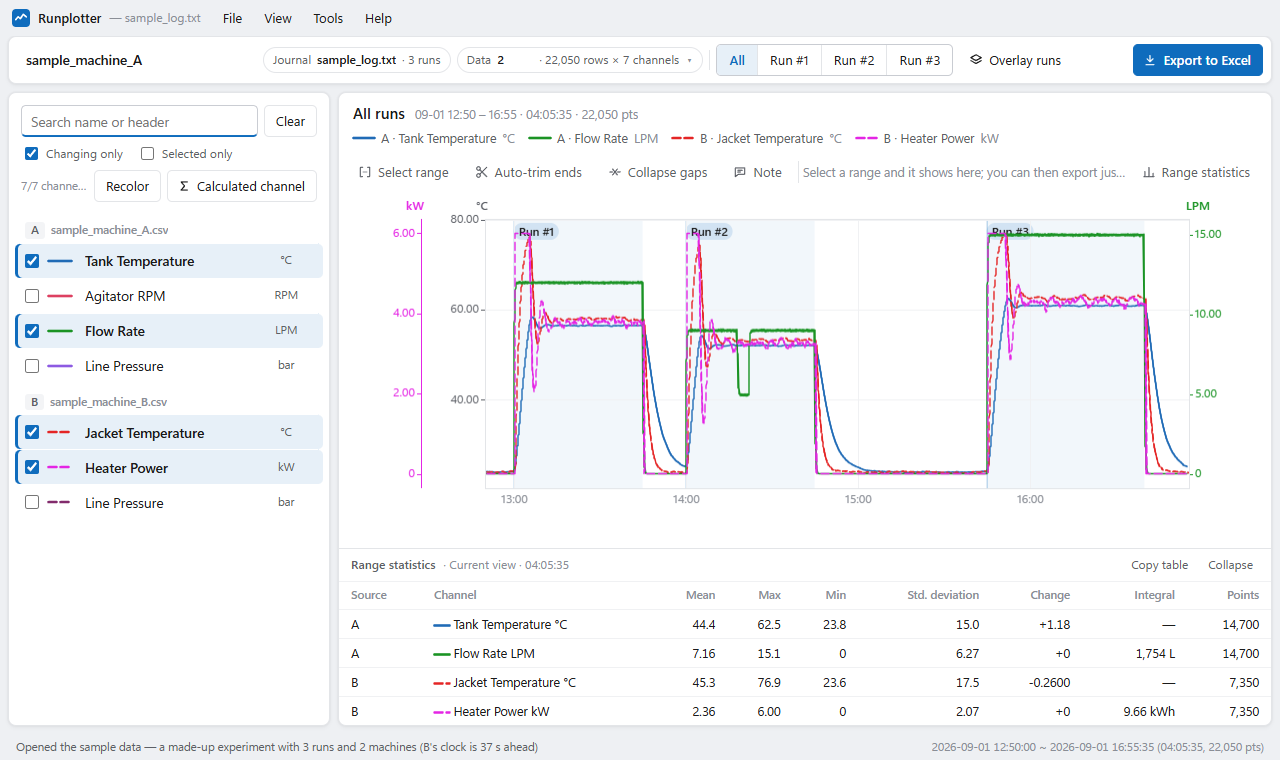
Drop a folder of test logs and measurement data. Runs are split, overlaid for comparison, and exported with the test conditions to one Excel file. Figures for reports and papers save in one click.
How labs use it
Runs side by side
Overlay repeated runs aligned to their start and compare mean · max · std. dev. per run in one table.
Many instruments
Files logged separately by different instruments on one chart. Drifting clocks are aligned automatically.
Conditions with results
Run times, recipe text and notes go into the Excel file with the data and charts — months later you still know the conditions.
Formulas, not columns
Differences, ratios and moving averages as new channels with a one-line formula.
Dozens of files
Batch summary builds per-file / per-day / per-run tables in one sheet, using one file's worth of memory.
Data stays in the lab
Files are read on the PC only — safe for unpublished data (IT review).
Who uses what
| Edition | Price | |
|---|---|---|
| Students — own coursework, personal study | Free edition | Free |
| University labs — research and projects | Paid (invoice) | 30% off |
| Schools — teaching | Paid (quote) | 50% off |
| Non-profits | Paid (quote) | 50% off |
Attach an institutional e-mail or proof to your quote request. Discounts do not stack with volume discounts (Plans).